
Using Google Search Console in a monthly SEO audit
Combine Search Console data with a technical crawl to decide which pages to optimize, instead of fixing things in the order a report lists them.
Search Console tells you what Google does with your site. A crawl tells you what state it's in. Neither is enough on its own; it's cross-referencing the two that tells you what to work on, and in what order.
Here's the monthly routine, in four passes.
Pass 1: pages losing impressions
Performance report, Pages dimension, comparing the last 28 days with the previous 28, sorted by change in impressions.
A drop in impressions means Google is showing the page less often. There are three possible causes, and the crawl tells you which one it is:
- the page has an indexability problem that appeared recently;
- a competitor has overtaken it on its queries;
- demand has dropped, which isn't your problem.
Look at impressions before clicks. A page that keeps its impressions but loses clicks doesn't have a ranking problem: it has a snippet problem.
Pass 2: queries that get seen but never clicked
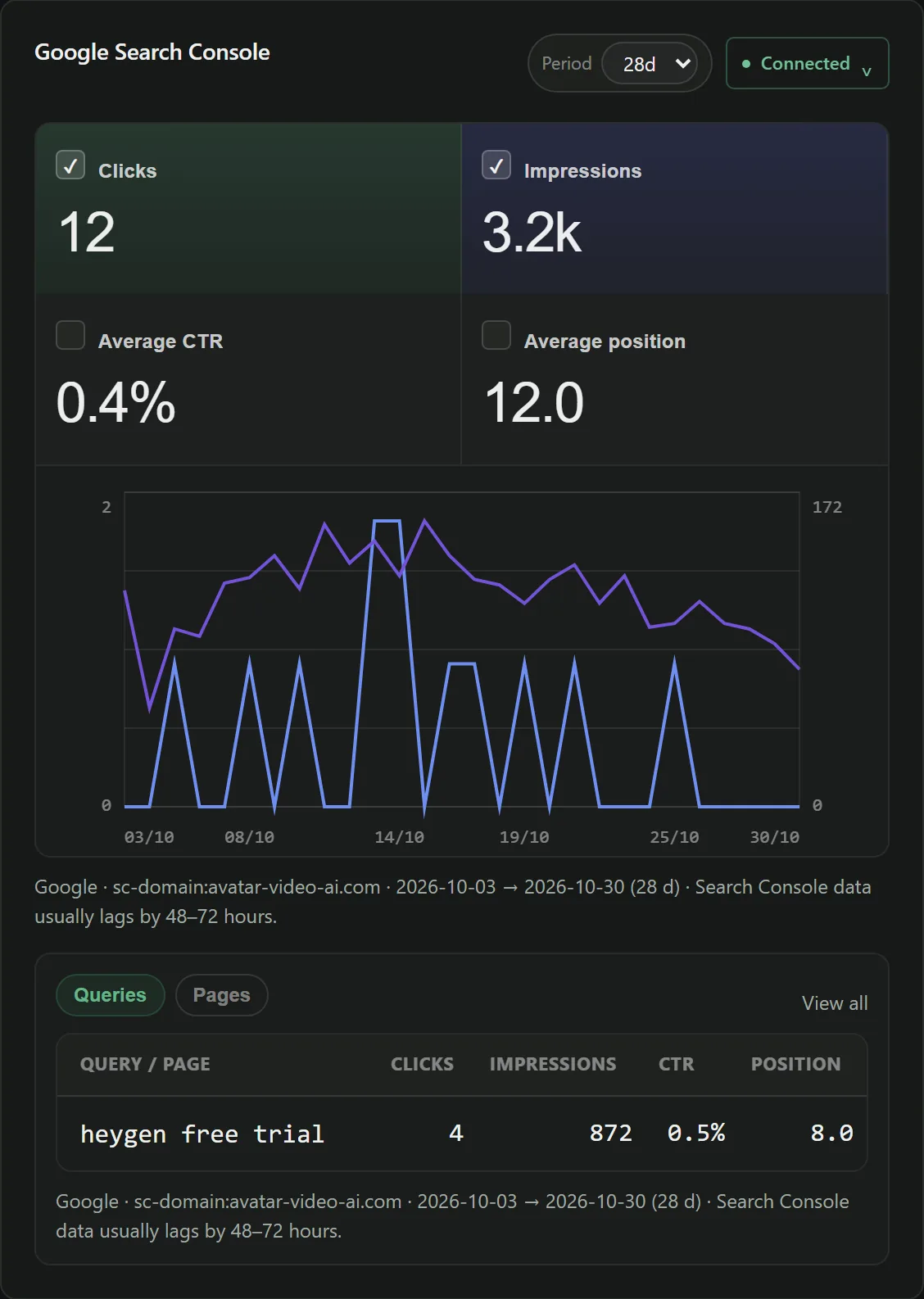
Queries dimension, position filter between 3 and 10, sorted by impressions in descending order — then look at the ones with zero clicks.
You're on page one and nobody comes in. That's not a ranking problem; it's a title and a
description that don't match what the searcher was looking for.
This is the most profitable category in an audit: the ranking work is done, only the snippet is falling short.
Filter out the long tail
Below 50 impressions, a click-through rate doesn't mean anything. Two impressions and one click make 50%, and that tells you nothing.
Pass 3: queries in positions 8 to 20
That gap can be closed, unlike from position 45.
Here the answer is rarely a tag. It's content that better matches the intent, internal links pointing to that page, or a backlink.
The classic trap: creating a new page for the query. Nine times out of ten, the right call is to strengthen the page that already ranks — it has history, it's indexed, and two pages on the same topic end up competing with each other.
Pass 4: the query AND the page together
This is the pass almost nobody does, and it's the only one that leads to a specific action.
In the Performance report, combine both dimensions: which page ranks for which query. An opportunity that only names the query leaves you hunting for the page; one that names both can be fixed.
You'll often find that an important query is carried by a page that was never meant for it. That's first-rate information: either you adapt that page, or you figure out why the intended page doesn't show up.
What Search Console will never see
It can't see:
- a
canonicalthat points to the wrong place; - an internal link that goes through a redirect;
- an orphan page that nothing links to;
- a
titleduplicated across thirty pages; - an important page buried six clicks deep from the homepage.
That whole half comes from the crawl. That's why the monthly routine that works is a crawl plus Search Console, not one or the other.
The routine in practice
Once a month, in this order:
- Run a full crawl.
- Export your pages with their impressions and clicks over 28 days.
- Cross-reference the two: keep only the issues on pages that get impressions.
- Handle the “seen but never clicked” pages and the indexability issues first.
- Deploy, then run a new crawl to verify.
- Write down what was fixed — it's the basis for next month's report.
And keep the lag in mind: Google publishes its data two to three days late. A fix deployed yesterday won't show up this week, and a drop you notice today started the day before yesterday.
Frequently asked questions
Which date range should you pick in Search Console?
28 days for routine analysis: long enough to smooth out weekly swings, short enough to see a recent trend. If your business is seasonal, compare with the same period last year rather than with the previous month.
Why doesn't the total of clicks by query match the overall total?
Search Console filters out rare queries for privacy reasons, and deduplicates differently depending on the dimension you're viewing. The gap is normal; don't build a calculation on top of it.
Is Search Console enough for an SEO audit?
No. It tells you what Google does with your pages, not what state they're in. It can't see an inconsistent canonical, a broken internal link or an orphan page. The crawl provides that half.
Put this guide into practice
Noyaru does this cross-referencing automatically: with Search Console connected, issues are sorted by real impressions, and underperforming queries become actionable opportunities.
Create a free account View the documentation