
SEO regressions happen at deployment, not gradually
Almost every SEO outage starts with a release. Here's what breaks most often, and how to catch it in days rather than months.
Sites don't degrade gradually. They break all at once, on a Tuesday afternoon, during a release — and nobody notices for six weeks.
That's the very nature of the problem: nothing is visible in the browser, and the curves only move after Google has recrawled the affected pages.
What breaks, in order of frequency
1. The staging noindex that ships to production. The all-time classic. Staging is
protected by a site-wide noindex or an X-Robots-Tag, and the configuration ships as is.
The entire site drops out of the index within a few weeks.
2. The overwritten robots.txt. Same mechanism, different file. A Disallow: /
inherited from a test environment, or a block on /assets/ that stops Google from rendering
the pages.
3. URLs that change without redirects. A redesign changes the path structure and the old URLs return 404. All the history of those pages is lost, and external links point to nothing.
4. A canonical wrongly applied site-wide. A layout component that writes the same
canonical on every page — often the homepage. The whole site declares itself a single page.
5. Internal linking that vanishes. A menu rewritten in JavaScript without real <a>
tags. The pages still exist, but nothing connects them anymore.
6. Tags lost in a template change. A generic title across the whole site, an h1 that
turns into a div, hreflang dropped during a refactor.
None of these six is visible when you look at the site in a browser. That's why they slip through.
Why you notice so late
The chain is long: the deployment breaks something, Google has to recrawl the pages, the index updates, rankings shift, impressions drop, and finally someone looks at the curve.
Expect three to six weeks between the cause and the visible symptom. By then, there have been fifteen other deployments, and finding the culprit turns into an investigation.
And the traffic lost in the meantime is gone for good.
The method: one crawl before, one crawl after
The principle fits in one sentence: compare two states, don't just look at one.
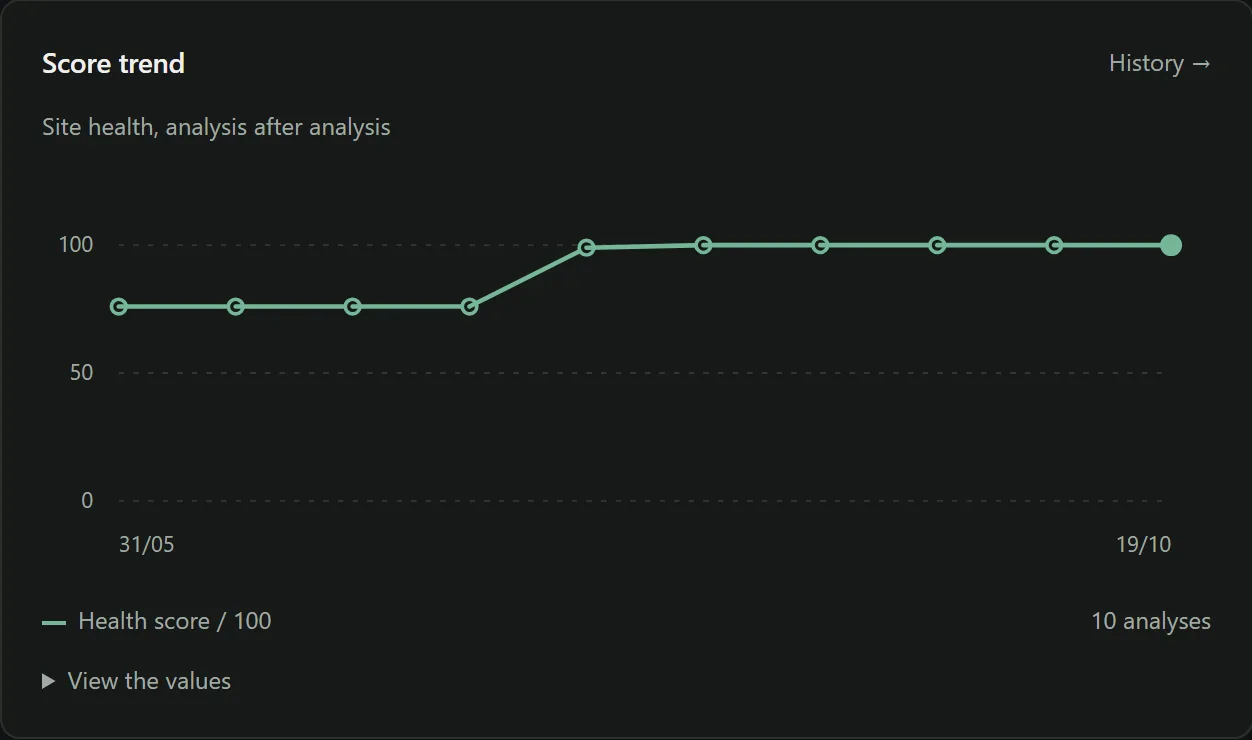
The crawl before is the baseline. The crawl after reveals the gap. Without a baseline, a post-deployment crawl doesn't tell you what changed — only what exists, which proves nothing.
What to look at in the comparison, in this order:
- The number of indexable pages. A drop is an emergency, not a side note.
- New issues. Not the total — the new ones. That's the number that names the regression.
- Pages missing from the crawl. Either they're no longer linked, or they no longer respond.
- HTTP status codes. 404s that didn't exist before, redirect chains getting longer.
The five minutes after every release
Do this by hand, right away, before you even start a crawl:
yoursite.com/robots.txt— read it in full, don't skim it.- The homepage source code: is there a
noindex? Does thecanonicalpoint to the page itself? - The same check on one page of each template — a category, a product page, a blog post.
yoursite.com/sitemap.xml— does it respond, and does it contain a plausible number of URLs?- Three important old URLs — do they still respond, or 301 to the right page?
These five minutes catch most serious regressions. The full crawl catches the rest.
Automate it, because nobody will do it by hand
The practical truth: a manual checklist after every deployment lasts three weeks — then comes a day when everyone is in a hurry.
What holds up over time is a crawl triggered automatically after every release, compared with the previous one, with an alert on two numbers: indexable pages and new issues.
It's the same reasoning as automated tests. Nobody reruns the tests by hand after every commit; you shouldn't be checking SEO by hand after every deployment either.
The special case of migrations
A URL migration deserves its own protocol, because that's where the risk is highest:
- A full crawl before, exported and kept.
- A complete mapping table, old URL → new URL.
- 301 redirects, never 302 — and never all of them to the homepage.
- A crawl after, checking that every important old URL redirects to its equivalent.
- An internal link check: links must point directly to the new URLs, not to a redirect.
- Impression monitoring for six weeks.
Step 5 is the one people forget. A site where every internal link goes through a redirect works perfectly for users, and wastes its crawl budget.
Frequently asked questions
How long before a regression shows up in traffic?
Anywhere from a few days to several weeks, depending on how often Google recrawls the affected pages. That's exactly the problem: by the time the curve moves, the deployment responsible is far behind you.
Can you recover from an accidental noindex?
Yes, but not instantly. Google has to recrawl the pages, which takes anywhere from a few days to several weeks. The real cost is the traffic lost in the meantime, and you can't get it back.
Should you crawl before or after the deployment?
Both. The crawl before is your baseline; the crawl after reveals the gap. Without a baseline, a post-deployment crawl doesn't tell you what changed — only what exists.
Put this guide into practice
Noyaru compares each crawl with the previous one and names the issues that appeared — the view that ties a regression to the deployment that caused it, while you can still track that deployment down.
Create a free account View the documentation