
Issues: read them, sort them, decide
How Noyaru classifies the issues it detects, what an issue's detail sheet contains, and in which order to handle them.
A project's Issues page is the work list. Each row is a type of problem, not a page: “missing meta description” appears once, with the number of affected URLs.
This is deliberate. An audit that lists 1,900 rows is unreadable; an audit that lists 42 types, one of which affects 1,900 URLs, is actionable.
What an issue's detail sheet contains
Click a row to open its detail sheet:
- What it is, in plain English, without unnecessary jargon;
- Why it matters — the real effect on crawling, indexing or clicks;
- The affected URLs, each with the observed value (the duplicate
title, thecanonicalpointing elsewhere, the empty anchor); - The evidence — exactly what the crawler saw, so you can check it;
- The actions: generate a suggestion, open a pull request, export, ignore.
This “observed value” column is what sets a usable audit apart from a list of URLs. It saves you from opening thirty pages to understand the pattern.
The three severity levels
Error — it prevents indexing or breaks something. 5xx responses, important page
returning 404, unwanted noindex, redirect loop, inconsistent canonical.
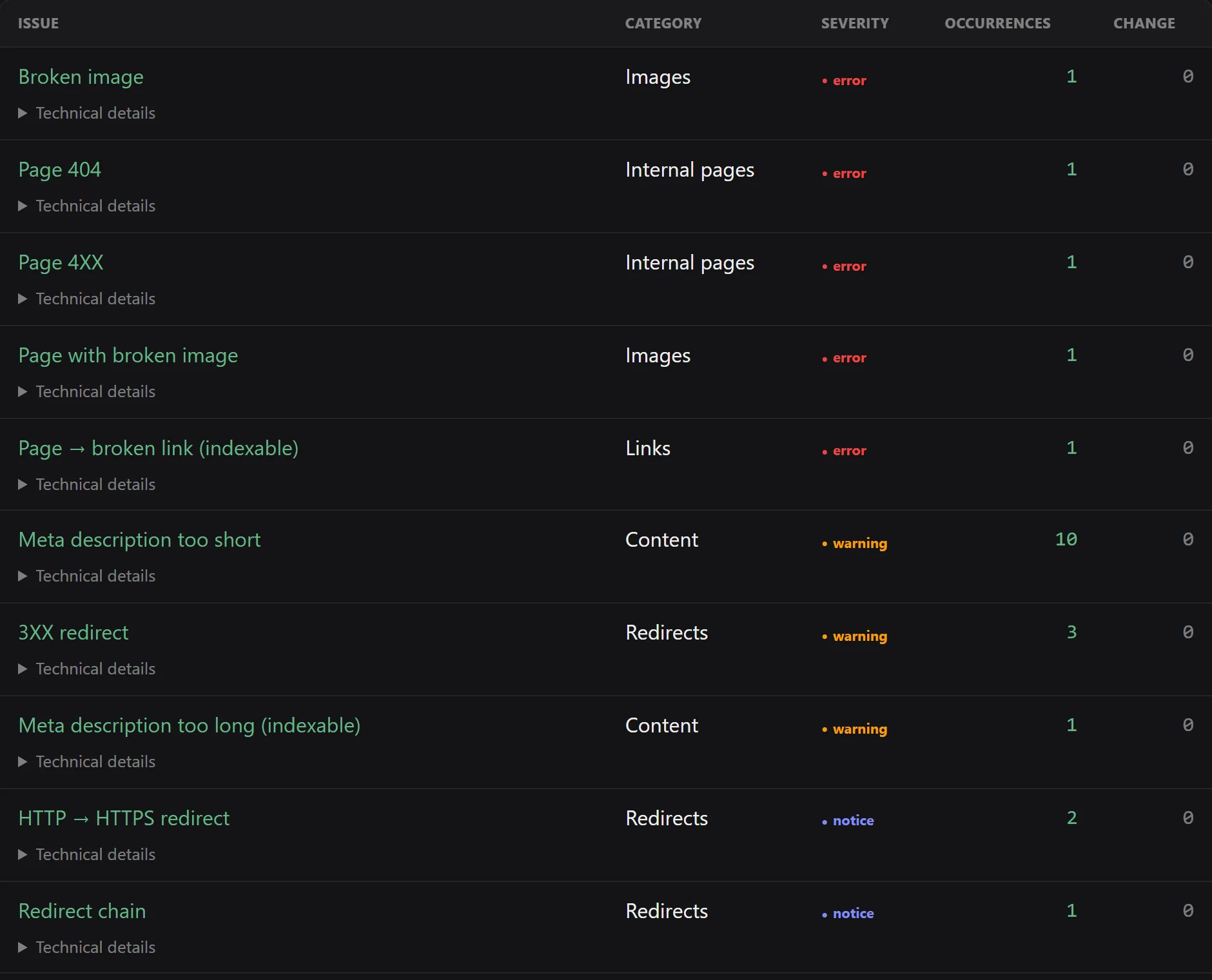
Warning — it degrades without blocking. Duplicate title, missing h1, internal link
pointing to a redirect, image without alt, excessive depth.
Notice — it's noted, rarely urgent. Missing description on a secondary page, very long URL, generic anchor.
The order to work in
Technical severity is a default sort, not an action plan. The right order combines three questions.
1. Does the page bring in anything?
This is the most discriminating filter, and it requires Search Console. An issue on a page with 12,000 impressions and the same one on an archive page with zero impressions don't deserve the same day of work.
2. Does it block indexing?
As long as a page cannot be indexed, all other work on it is wasted. In
order: HTTP statuses, robots.txt, noindex, canonical, redirects.
3. How many URLs for one fix?
An issue with 300 occurrences coming from a template is fixed in one go. Three issues with one occurrence each require three interventions. The return is not the same.
The practical order that works
- Indexability errors on business pages.
- High-volume template issues.
- SERP signals (
title, description,h1) on pages with impressions. - Internal linking: broken links, links to redirects, orphan pages.
- The rest, on the next run.
Tracking: to do, in progress, changed, ignored
Each issue can become a task with a status. The project's Fixes page groups them by column, and shows for each one the associated pull request when there is one, as well as the result of the post-crawl verification.
That is what lets you pick up an audit two weeks later without wondering what has already been handled.
Suggestions and fixes
Two levels of help, depending on what you have connected:
- Suggestion — Noyaru proposes the content to write: a
titleof the right length that reflects the page's intent, a description, analt. You copy and paste. - Fix — Noyaru writes the change directly in your code and opens a pull request. This requires a connected repository.
Without a Git repository, the fix-pack gathers the fixes in an archive ready to apply.
Frequently asked questions
Why does an issue affect 300 URLs when I only have 5 different pages?
Because it comes from a template, not from a page. That's good news: a fix in the template resolves all 300 rows at once, and that is exactly what the automatic fix aims to do.
Can I ignore an issue permanently?
Yes. An issue can be marked “ignored”: it leaves the work list and your fix statistics, without disappearing from the crawl report.
Can all issues be fixed automatically?
No. Those that are resolved in the code — tags, canonicals, alt, internal links, redirect loops, sitemap — can be. Those that require an editorial or server-side decision cannot, and the fix button is not shown.
Try Noyaru
Create a project, run a crawl and browse your first report. No credit card required.
Create a free account